

If reaching a light switch feels risky, or turning a deadbolt hurts your hands, the problem usually is not “tech.” It’s friction. The home asks for too many small movements that are hard to do safely day after day.
Smart home accessibility is about reducing that friction. Voice-activated devices can handle repetitive tasks so homeowners can move less, rush less, and feel more confident living at home. Research on voice assistants notes their potential to support independence for people with disabilities by enabling hands-free control of the home.
- Less reaching for switches and thermostats
- Fewer trips across rooms
- More control without needing another person
- More predictable routines, especially at night
That’s the goal: practical support, not gadgets for their own sake.
What “smart home accessibility” means in real life
In accessibility conversations, “smart home” can sound like a luxury. For mobility-limited homeowners, it’s often closer to a safety upgrade.
Smart home accessibility usually means a few core functions become easier to control:
- Lighting on command, including pathways and stair areas
- Doors that can lock and unlock reliably
- Temperature control without walking to a thermostat
- Simple ways to call for help, or alert family if something goes wrong
- Routines that reduce decision fatigue (for example, “Goodnight” turns off lights and locks doors)
The best setups are also boring in the best way. They work quietly and consistently.

Why voice control helps when mobility changes
Voice control is powerful because it removes a common barrier: needing your hands, grip strength, balance, or fine motor movement for everyday actions. Studies on voice technologies for aging in place highlight that voice assistants allow non-visual interaction and can reduce the need for advanced computer skills.
For many households, the benefits show up in three areas.
- Safety: fewer “risky moments” like hurrying in the dark to find a switch
- Independence: less reliance on family members for basic tasks
- Energy: fewer small actions that add up to fatigue
If someone is anxious about aging in place, voice control can also provide a sense of predictability. A routine like “Morning” can turn on lights gradually, adjust temperature, and read reminders out loud. The day starts calmer, which matters when mobility is limited.
Mobility-friendly home design meets smart tech
Smart devices help most when the home layout supports them. Think of it as teamwork: design reduces physical barriers, technology reduces repeated effort.
Entry and exits
Getting in and out of the home is one of the highest-stress moments when mobility is limited. Smart locks can reduce the need to handle keys, and video doorbells can reduce rushing to the door.
Good entry support often includes:
- Voice-assisted locking and unlocking (with strong security settings)
- A well-lit entry path that turns on automatically
- A doorbell that can be answered from a phone or smart speaker
- A plan for emergencies, including manual entry options for trusted support people
If accessibility is a goal in the home, the entry is often the first place to upgrade because it affects independence every day.
Lighting and pathways
Lighting is where most people feel the biggest change quickly. The reason is simple: lighting is everywhere, and darkness increases risk.
Helpful lighting features include:
- Voice control for main room lights
- Motion sensors for hallways and bathrooms
- Night lighting that turns on at low brightness
- Routines that turn on lights before someone stands up (for example, “Bathroom” at night)
A strong lighting plan reduces the “searching” that happens when someone is tired, unsteady, or in pain.
Temperature and comfort
Thermostats are often placed in inconvenient spots. Smart thermostats and room sensors can reduce walking and reduce temperature swings that affect comfort.
Practical comfort controls often include:
- Voice adjustments (“set the heat to 21”)
- Scheduled temperature shifts (warmer mornings, cooler nights)
- One simple routine that prioritizes comfort without constant tweaking
Communication and reminders
Voice assistants can support communication, but the best use is usually simple.
- Calling a family member hands-free
- Setting reminders for medication timing (without making medical promises)
- Announcing appointments and deliveries
- Giving a quick weather report before leaving the house
These aren’t flashy functions. They reduce stress.
If you want a simple starting point for accessibility thinking, this article breaks down beginner-friendly lifestyle steps that can help people regain independence at home: ameridisability.com/5-ways-to-start-an-accessible-lifestyle/.
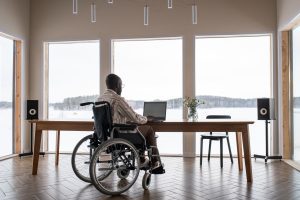
Practical setup ideas that reduce daily friction
The easiest way to plan smart home accessibility is to focus on the moments that cause the most strain. Not “what’s trendy,” but what makes the day harder.
Here are common high-friction moments and the smart supports that often help.
- Getting up at night: motion lighting, voice “night” routine, bedside smart speaker
- Leaving the home: voice lock confirmation, smart garage control, entry lighting
- Cooking: voice timers, hands-free music or instructions, smart plugs for safe shutoff routines
- Bathing: humidity-triggered fan control, bright lighting, simple voice routines
A lot of people try to automate everything, then get frustrated. A better approach is to automate the top 3–5 tasks that cause the most effort or risk, then stop and evaluate.
Safety and reliability concerns (and how to handle them)
Safety and reliability concerns are real. A mobility-friendly setup should never create a new stress point.
Power and internet hiccups
Most voice-controlled systems need power and internet. The fix is not panic. It’s planning.
- Keep manual switches and keys as backup
- Choose devices that still work locally when possible
- Use a battery backup for the Wi-Fi router if outages are common
- Avoid over-complicated chains of devices that depend on each other
If the home relies heavily on automation, a simple backup strategy provides peace of mind.
Misheard commands and voice fatigue
Voice assistants can mishear commands, especially with background noise or speech changes. Research on voice assistant use also raises themes like challenges and inclusiveness gaps, which is why setup should be user-centred.
Ways to reduce misfires:
- Use short command phrases
- Name devices clearly (“Hall Light” not “Light 1”)
- Place speakers where they can hear you well, but not in noisy corners
- Keep routines simple: one command triggers a group of actions
- Use physical buttons for critical actions when voice is unreliable
The goal is “works when you need it,” not “cool demo.”
Privacy, microphones, and peace of mind
Privacy worries are common, and they’re valid. A smart home should feel supportive, not intrusive.
A few practical steps help:
- Mute microphones when not in use
- Keep smart speakers out of bedrooms if that feels uncomfortable
- Review what recordings are stored and delete history regularly
- Limit who can access the account and connected devices
If privacy concerns feel heavy, choose a smaller setup focused on lighting and thermostat control first. You can still get big accessibility benefits with minimal data exposure.
How to choose the right devices without wasting money
“Best device” questions are usually really “best fit” questions. The right answer depends on mobility limits, home layout, and comfort with technology.
A smart buying strategy focuses on:
- Compatibility: devices that work together in one ecosystem
- Ease of use: one or two simple control methods, not five apps
- Support: a product that has clear setup instructions and reliable updates
- Manual fallback: physical controls still work
Before buying anything, identify the top friction points in the home. Then match the device to the moment. That keeps spending tied to real outcomes.
- If reaching switches is the problem, start with lighting.
- If opening doors is the problem, focus on entry.
- If walking to a thermostat is the problem, focus on comfort control.
This approach also helps families support a parent aging in place without turning the home into a confusing tech project.
When to involve an accessibility contractor
Some smart devices are simple DIY installs. Others work best when they’re coordinated with real accessibility improvements like safer entrances, better bathroom layouts, or widened pathways.
A contractor experienced in accessibility services can help you:
- Prioritize changes that reduce risk
- Combine smart tech with physical upgrades that make movement safer
- Place devices where they truly support mobility, not where they look nice
- Avoid spending money on solutions that don’t match the person’s needs
Canada’s broader accessibility direction emphasizes removing barriers and supporting inclusion. While that’s often discussed in public spaces, the principle applies at home too: remove friction so life is easier to live.
Next Step: Plan a Home That Supports Independence
Voice-activated smart homes can make everyday living easier when the setup is practical, reliable, and built around how you actually move through your day. The right system reduces risky moments, lowers stress, and helps you stay in control of your space instead of working around limitations.
If you want a plan that truly fits your home, your mobility needs, and your comfort with technology, an accessibility-focused assessment is a strong next step. It turns interesting ideas into a setup that works on a cold Tuesday night, when you’re tired and just want things to function smoothly.
To see what options are available, review accessibility services and the types of home modifications that can be combined with smart technology. When you’re ready to talk through priorities, timelines, or budget, you can contact In-Trend to start a conversation about practical next steps.
FAQs
1) What is smart home accessibility?
Smart home accessibility means using technology like voice assistants, smart lighting, and smart locks to make daily tasks easier and safer for people with mobility limits.
2) Are voice assistants reliable for accessibility needs?
They can be, especially when routines are simple and there are manual backups. Reliability improves with strong Wi-Fi and clear device naming.
3) What smart home upgrades help most with limited mobility?
Lighting control, smart locks, and thermostat control usually provide the fastest daily benefit because they reduce reaching, gripping, and unnecessary movement.
4) Can smart home tech help with aging in place?
Research on voice technologies and smart home systems suggests they can support independence and quality of life for older adults when implemented thoughtfully.
5) Do I need renovations, or can I start with devices?
Many people start with devices. Renovations are helpful when physical barriers exist (unsafe entries, poor lighting layout, hard-to-use bathrooms). A contractor can help prioritize.